
20 Best AI Tools Paid Tools, Free Alternatives and Open-Source GitHub Options
How to read this guide
Tools 9 to 28 are the famous ones, and each follows the same four blocks, so you can find what you need fast:
Best AI Tools Paid Tools, Free Alternatives and Open-Source GitHub Options
- Paid tool: what it is, what it does, and what it costs.
- Free version of the same tool: whether the paid tool has a free plan, and how far it goes.
- Free website alternatives: two other tools you can open in your browser at no cost.
- GitHub open-source option: a free tool you download and run yourself. These need more setup, and many need a strong computer.
Prices are in US dollars and were checked in 2026. Where I could not verify a price, I say “check the official page” instead of guessing. Free plans change often, so treat the limits as a rough guide.

1. Google Flow: free AI image and video studio
- What it is: Google’s AI creative studio for making images and videos, at labs.google/fx/tools/flow.
- What is free: the free plan gives you 50 Flow credits every day. It includes Veo 3.1 for video, Nano Banana Pro for images, Gemini Omni Flash, text-to-video, frames-to-video and an AI agent that helps you edit.
- Paid plans: Google AI Plus is $4.99 a month (200 extra monthly credits and 1080p video upscaling). Google AI Pro is $19.99 a month (1,000 monthly credits). Google AI Ultra is $99.99 a month (10,000 monthly credits and 4K upscaling). Features and prices vary by region, and you must be 18 or older.
- What it replaces: a good part of what people pay Runway, Kling or Midjourney for.
- The catch: free credits reset daily, so you can make a few clips a day, not a whole film. Video costs more credits than images.
2. Mausa: one AI studio for images, video, voice and music
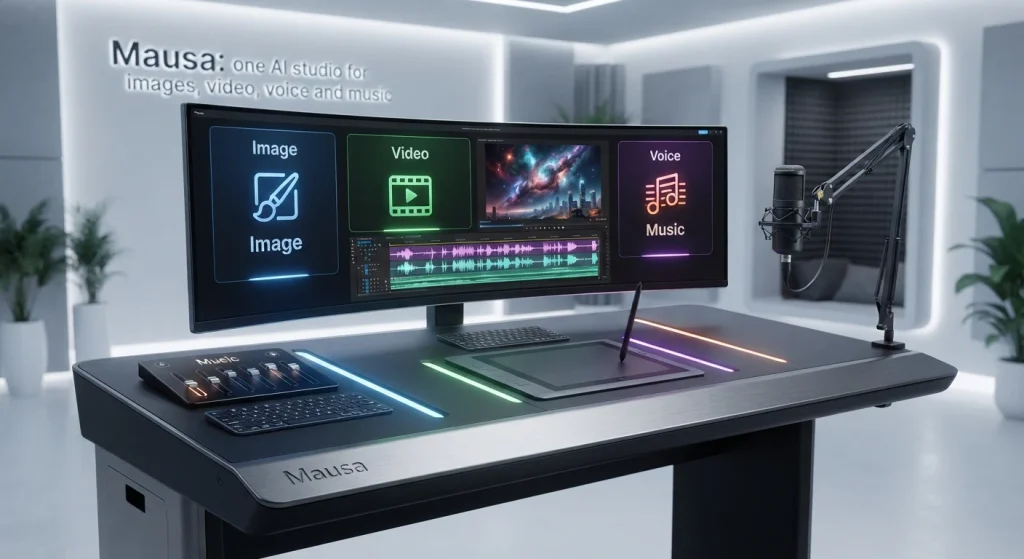
- What it is: an all-in-one AI media studio at mausa.ai. You describe what you want in plain language, and it makes images, videos, voiceovers, music, dubbed videos and virtual try-on shots from one conversation.
- What it does: product photos and product videos, UGC-style videos with AI characters, voice design and voice cloning, dubbing into 88 languages, subtitles, image upscaling to 4K and video edits by text command.
- Price: there is no free plan. You can try it for 7 days for $1. After that, Starter is $29.99 a month, Studio Pro is $99.99 a month and The Agency is $599.99 a month. Starter lists up to 93 images, 42 video clips, 13 4K video clips and 600 voiceovers a month. The site also mentions a 14-day money-back guarantee, excluding usage-based spending.
- What it replaces: a stack of separate image, video, voice, music and dubbing subscriptions.
- The catch: it is paid, and these numbers come from the company’s own site, so test the $1 trial before you rely on it. If you do not want to pay, combine free tools instead: Google Flow for images and video, and Piper or Kokoro for voice (see tool 21 below).
3. OpenCode: open-source AI coding agent
- What it is: a free, open-source coding agent under the MIT license. It works in the terminal, as a desktop app, or as an editor extension. The official site is opencode.ai, and the code is on GitHub.
- What is free: the tool itself is 100% free, and it comes with a set of free models you can use without creating an account. You can also connect more than 75 model providers, including local models, or log in with an existing Copilot or ChatGPT Plus/Pro subscription.
- What it replaces: paid coding assistants like Cursor or Copilot, partly.
- The catch: the free models are not the strongest, and the site says your data is stored when you use its free models. Connecting other providers can cost money. A different project has a similar name, so download only from the official site and repository.
4. Pinokio: install AI apps with one click
- What it is: a free, open-source app that installs and runs open-source AI tools on your own computer using ready-made scripts. Think of it as a store for local AI: image generators, video generators, music tools, background removers and more.
- What is free: the app and the AI tools it installs, with no credits or subscriptions.
- What it replaces: the hard part of GitHub tools. You skip the command line and most setup errors.
- The catch: you need a capable computer, ideally with a good graphics card, and a lot of disk space (some guides suggest 30 to 40 GB or more). Only install scripts from sources you trust, because scripts run code on your machine.
5. Google AI Studio: try Google’s newest models in the browser
- What it is: a web playground from Google for testing Gemini models and building small AI apps.
- What is free: a free tier with rate limits.
- What it replaces: paying just to test prompts, long documents or app ideas.
- The catch: limits and available models change, and it is made for builders, so it feels more technical than a normal chatbot.
6. Hugging Face: free demos and open models
Image idea: a Hugging Face model page with a demo box. Alt text: Hugging Face model demo page.
- What it is: the biggest public library of open AI models, plus Spaces (live demos you can try in the browser) and HuggingChat, a free, open-source chat interface.
- What is free: browsing and downloading models, trying many Spaces, and using HuggingChat.
- What it replaces: paying to test a new image, voice or text model before you commit.
- The catch: demos can be slow or busy, and quality varies a lot between community projects. It is best for people who like to experiment.
7. Jan and LM Studio: ChatGPT-style apps that run offline
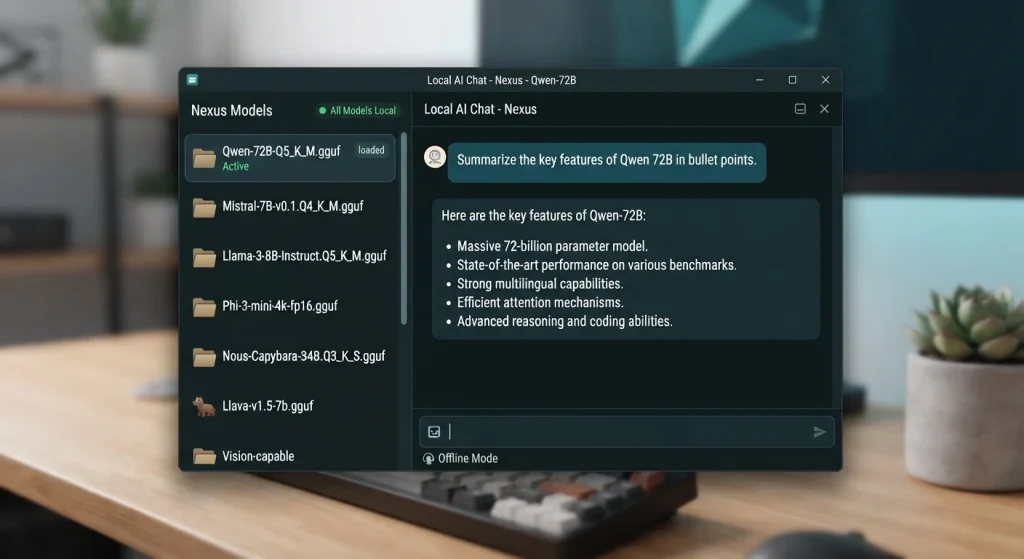
- What it is: desktop apps that download open models and let you chat with them on your own computer. Jan is open-source under Apache 2.0. LM Studio is free for personal use.
- What is free: the apps and the open models you download. Your only costs are hardware and electricity.
- What it replaces: a chatbot subscription for private notes, drafts and documents.
- The catch: results depend on your computer. Big models need lots of memory, and small models are weaker than the paid cloud ones. This is an easier starting point than Ollama if you dislike the command line.
8. Google AI Edge Gallery and PocketPal AI: AI on your phone
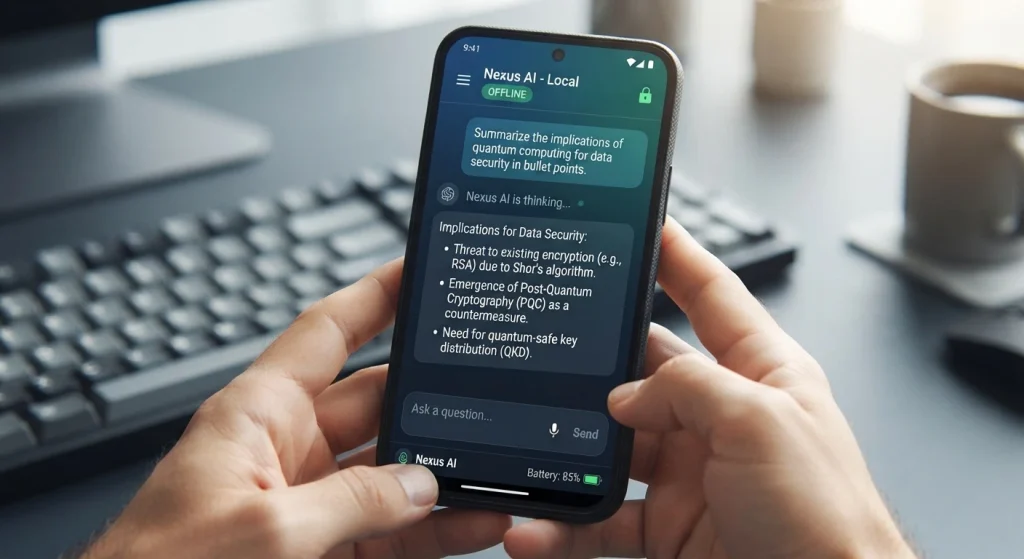
- What it is: free phone apps that run small AI models on the device. Google AI Edge Gallery works with Gemma models, and PocketPal AI offers more model choice.
- What is free: the apps and the models.
- What it replaces: a data connection and a subscription when you only need quick answers or drafts.
- The catch: only small models fit on a phone, so expect simpler answers. Large models can drain the battery and heat the phone.
Part 1: Chat, writing and notes
9. ChatGPT: AI chatbot for writing, ideas and answers
Paid tool: ChatGPT Plus (OpenAI)
- What it is: a chatbot that writes, explains, summarizes, translates and helps with code.
- What it does: drafts emails and articles, answers questions, analyzes files, creates images and runs longer reasoning tasks.
- Price: Go is $8 a month (may show ads). Plus is $20 a month and ad-free. Pro starts at $100 a month and goes up to $200 and $500 for heavy users. No plan is truly unlimited.
Free version of the same tool: ChatGPT Free. You get basic chat with daily limits, and the free plan can include ads. It is enough for emails, simple writing and learning.
Free website alternatives:
- Google Gemini has a free plan for chat and writing help.
- Claude has a free plan that is good for long writing and careful answers.
GitHub open-source option: Ollama + Open WebUI. Ollama runs open language models on your own computer. Open WebUI gives you a ChatGPT-style screen on top. It is private and has no per-message cost, but small models are weaker than the paid cloud ones, and you need enough computer memory.
Verdict: start free, and pay for Plus only when you keep hitting limits.
10. Grammarly: grammar and writing checker
Paid tool: Grammarly Pro
- What it is: a writing assistant that works in your browser, Word and many apps.
- What it does: fixes grammar and spelling, suggests clearer sentences, adjusts tone and rewrites full sentences.
- Price: about $144 a year on annual billing, which is roughly $12 a month.
Free version of the same tool: Grammarly Free. It catches spelling and basic grammar errors and gives a few clarity tips.
Free website alternatives:
- LanguageTool (free web and browser add-on) checks grammar in many languages.
- Hemingway Editor (free web app) highlights long, hard-to-read sentences.
GitHub open-source option: LanguageTool. The core engine is open-source, and you can host it yourself. It supports many languages, which helps if you write in more than English.
Verdict: daily writers may like Pro. Most people are fine with the free tools.
11. Notion AI: notes, documents and AI writing in one place
Paid tool: Notion AI
- What it is: an AI assistant inside the Notion workspace.
- What it does: summarizes notes, writes drafts, searches across your pages and pulls out action items.
- Price: it depends on your Notion plan. Check Notion’s pricing page for the current number.
Free version of the same tool: Notion Free lets you organize notes, tasks and wikis. The full AI features are limited or locked.
Free website alternatives:
- Obsidian is free for personal use and stores your notes as simple files on your computer.
- Google Docs is free and works well for shared writing.
GitHub open-source option: AppFlowy and AFFiNE. Both are open-source note and workspace apps. You can connect your own AI model if you want writing help. Setup is more hands-on than Notion.
Verdict: if you only need a neat place to write, free is plenty.
Part 2: Image tools
12. Midjourney: AI art and image generator
Paid tool: Midjourney
- What it is: one of the best-known AI image generators, known for artistic, polished results.
- What it does: turns a text prompt into images, with style controls and variations.
- Price: Basic $10 a month (about 3.3 fast GPU hours). Standard $30 (unlimited Relax images). Pro $60. Mega $120. Yearly billing takes 20% off. On Basic your images are public.
Free version of the same tool: none. Midjourney has no free plan.
Free website alternatives:
- Leonardo AI has a free tier with daily or monthly credits.
- Ideogram has a free tier and is strong at readable text inside images, such as posters and thumbnails.
GitHub open-source option: ComfyUI and Stable Diffusion WebUI. They run image models on your own computer, so there are no credits. You need a good graphics card. ComfyUI looks like a node map at first, which scares beginners, but it is powerful once it clicks.
Verdict: pay only if you want that Midjourney look. For a few images a week, free tiers are enough.
13. Adobe Firefly: AI images for commercial use
Paid tool: Adobe Firefly
- What it is: Adobe’s AI image and design generator.
- What it does: creates images from text, extends photos and works with Adobe apps. Adobe presents it as built for commercial use.
- Price: Standard is $9.99 a month (2,000 generative credits). Pro is $19.99 a month (4,000 credits). Many Creative Cloud plans already include credits.
Free version of the same tool: Adobe has offered a small free credit allowance. Check Adobe’s page for what is available today.
Free website alternatives:
- Canva’s free AI image tools are easy for social media posts.
- Microsoft Designer is a free web designer with AI image help.
GitHub open-source option: Krita AI Diffusion. A plugin for the free painting app Krita. It lets you generate and edit images right on your canvas using a local setup. A strong graphics card helps.
Verdict: choose Firefly if client safety matters. Otherwise start free.
14. Adobe Photoshop: photo editing with AI fill
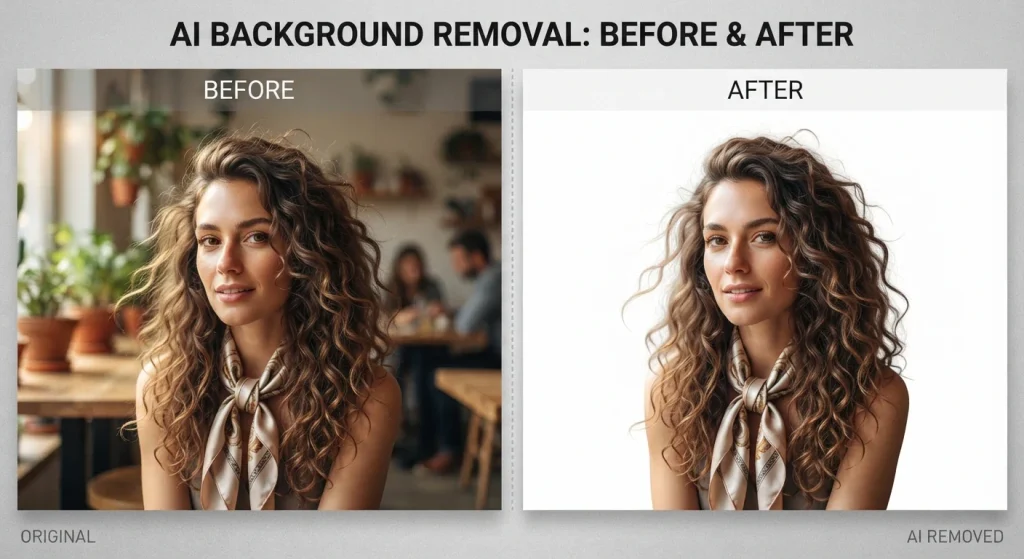
Paid tool: Adobe Photoshop with Generative Fill
- What it is: the most famous photo editor in the world.
- What it does: edits and retouches photos, removes objects, expands images and fills areas with AI.
- Price: subscription only. The price depends on whether you buy Photoshop alone or in a bundle, so check Adobe’s page.
Free version of the same tool: there is only a free trial.
Free website alternatives:
- Photopea runs in your browser, opens PSD files and feels close to Photoshop. It is free with ads.
- Pixlr is a free web editor with simple AI tools.
GitHub open-source option: rembg and GIMP. rembg removes image backgrounds and can run in bulk, which is great for product photos. GIMP is a free open-source desktop editor (hosted on the GNOME GitLab rather than GitHub).
Verdict: most beginners do not need Photoshop.
15. Topaz Gigapixel and Photo: image upscaling and enhancing
Paid tool: Topaz Gigapixel / Topaz Photo
- What it is: desktop software that sharpens and enlarges images with AI.
- What it does: upscales small or blurry photos, reduces noise and restores detail.
- Price: pricing and license types change, so check Topaz’s site before buying.
Free version of the same tool: a free trial, usually with watermarks on output.
Free website alternatives:
- Upscale.media enlarges images in your browser.
- Bigjpg is another free online upscaler. Both have size or daily limits.
GitHub open-source option: Upscayl and Real-ESRGAN. Upscayl is a free desktop app that works on Windows, Mac and Linux and is simple to use. Real-ESRGAN is the engine behind many upscalers. Speed depends on your graphics card.
Verdict: try Upscayl first. Most people will not need to pay.
Part 3: Video tools
16. Runway: AI video generation and effects
Paid tool: Runway
- What it is: a creative platform for AI video.
- What it does: generates clips from text or images, creates B-roll and cleans up footage.
- Price: Standard $15 a month ($12 on yearly billing). Pro $35. Max $95. Prices are per editor, and video uses credits.
Free version of the same tool: yes. Runway has a Free plan with a small credit allowance.
Free website alternatives:
- Pika offers free credits to try short clips.
- Kling AI gives new users some free credits.
Free credit amounts change often, and free clips can be slower or watermarked.
GitHub open-source option: Wan, LTX-Video and HunyuanVideo. Open video models you can run yourself. They are exciting but need a strong graphics card and patience. Treat them as a project, not a quick fix.
Verdict: test the free credits first. Pay only if you make clips every week.
17. Kling AI: text-to-video generator
Paid tool: Kling AI Pro
- What it is: a popular AI video generator.
- What it does: turns prompts and still images into short video clips.
- Price: Pro is listed at about $32.56 a month for 3,000 credits, sometimes with a lower promotional price for the first months.
Free version of the same tool: new users can usually try a limited number of generations free.
Free website alternatives:
- Runway Free plan for a few test clips.
- Pika free credits.
GitHub open-source option: Wan and LTX-Video (same as tool 16).
Verdict: good for testing ideas. Do not buy a yearly plan before you trial it.
18. HeyGen: AI avatar and talking-head videos
Paid tool: HeyGen
- What it is: an AI video platform with digital presenters.
- What it does: makes talking-head videos from a script, in many languages, with no camera.
- Price: Creator $29 a month ($24 on yearly billing) with unlimited videos and 1080p. Pro $99 for 4K. Business $149.
Free version of the same tool: yes. 3 videos a month at 720p with a watermark.
Free website alternatives:
- D-ID has offered free trial credits.
- Vidnoz AI has a free tier with limits.
GitHub open-source option: LivePortrait and SadTalker. They animate a face from a photo and audio. Quality varies, and you need technical skill. Always get permission before animating a real person’s face.
Verdict: useful for training and explainer videos. Tell viewers it is an AI presenter.
19. Premiere Pro and CapCut Pro: video editing
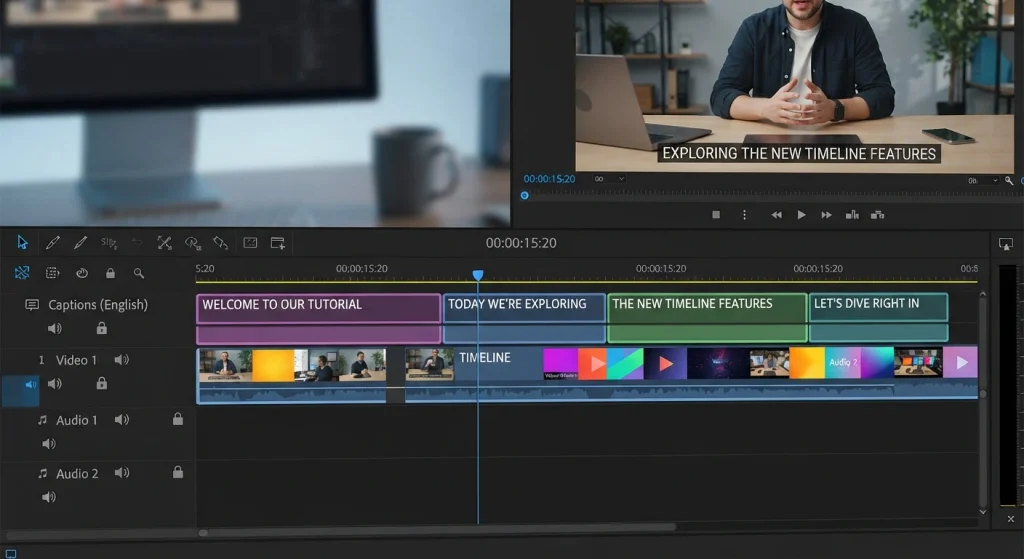
Paid tool: Adobe Premiere Pro or CapCut Pro
- What it is: video editors, Premiere for professional work and CapCut for fast short videos.
- What it does: cutting, captions, effects, color and exporting for YouTube or Reels.
- Price: both are subscriptions and prices vary by country and plan, so check the official pages.
Free version of the same tool: CapCut has a free plan that covers most simple edits.
Free website alternatives:
- DaVinci Resolve (free desktop version) is professional-grade.
- Clipchamp is a free web editor from Microsoft.
GitHub open-source option: Shotcut and Kdenlive. Both are free, open-source editors with no watermark. They are less flashy but reliable.
Verdict: you do not need to pay to edit good videos.
20. OpusClip: cut long videos into short clips
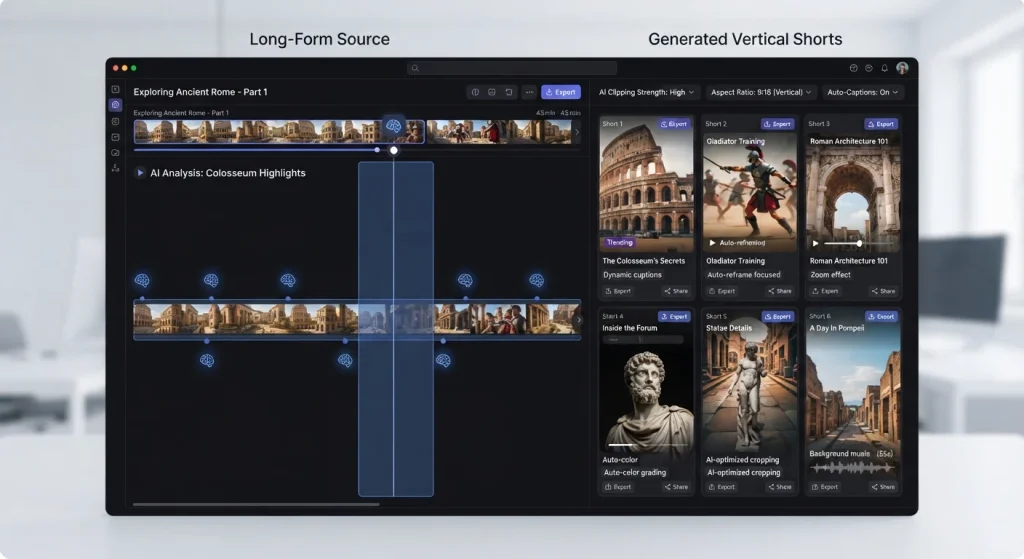
Paid tool: OpusClip
- What it is: a clipping tool for creators.
- What it does: finds the best moments in a long video, cuts them, resizes to vertical and adds captions.
- Price: Starter about $15 a month. Pro about $29 a month. Clips use credits, so check your minutes.
Free version of the same tool: yes, a Free plan to test it on a small amount of video, often with limits like a watermark.
Free website alternatives:
- Vizard has a free tier for clipping.
- CapCut (free) has auto-captions and auto-cut tools.
GitHub open-source option: ClipsAI. An open-source Python library that finds clips in long videos and resizes them. Pair it with Whisper for captions and FFmpeg for cutting. You need to be comfortable with code.
Verdict: if you post shorts every week, OpusClip saves hours. If you post rarely, stay free.
Part 4: Voice, transcripts and audio
21. ElevenLabs: realistic AI voiceovers
Paid tool: ElevenLabs
- What it is: a text-to-speech and voice cloning platform.
- What it does: reads your script in natural voices, in many languages, and can clone a voice with consent.
- Price: the Creator plan is about $22 a month. Usage is counted in credits.
Free version of the same tool: yes. A free plan with a small monthly allowance, enough to test voices or make a short narration.
Free website alternatives:
- NaturalReaders has a free online reader with decent voices.
- TTSMaker is a free text-to-speech site with many voices.
GitHub open-source option: Piper, Kokoro and Coqui TTS. They run on your own computer. Piper is light and fast. Quality is good for many uses but usually less expressive than ElevenLabs. Only clone a voice with the owner’s consent.
Verdict: free tools handle simple narration. Pay when voice quality is part of your brand.
22. Descript: edit video and audio by editing text
Paid tool: Descript
- What it is: an editor that turns your recording into a text transcript.
- What it does: you delete words in the text and the video or audio is cut to match. It also removes filler words and adds captions.
- Price: Starter is $29 a month ($18 on yearly billing). Creator is $89 a month ($64 on yearly billing).
Free version of the same tool: yes, a Free plan with limits.
Free website alternatives:
- Otter.ai has a free plan with monthly transcription minutes.
- YouTube auto-captions give you a free transcript of any video you upload.
GitHub open-source option: OpenAI Whisper and Subtitle Edit. Whisper turns speech into text on your own computer. Subtitle Edit helps you fix and time subtitles. Together they replace a lot of what people pay for.
Verdict: Whisper is one of the best free tools on this list.
Part 5: File reading, documents and research
23. Adobe Acrobat AI Assistant: chat with your PDFs
Paid tool: Adobe Acrobat AI Assistant
- What it is: an AI add-on inside Adobe Acrobat.
- What it does: summarizes long PDFs, answers questions about them and finds key points.
- Price: it is a paid add-on. Check Adobe for the current price.
Free version of the same tool: Adobe sometimes offers limited free use or a trial. Check Adobe’s page.
Free website alternatives:
- Google NotebookLM lets you upload documents and ask questions, with answers that point back to your sources. It has a free tier.
- ChatPDF has a free tier with limits on file size and daily use.
GitHub open-source option: AnythingLLM and PrivateGPT. Both let you chat with your own files on your own machine, so private documents stay private. Setup takes time.
Verdict: try NotebookLM first.
24. Acrobat Pro OCR: turn scanned pages into text
Paid tool: Adobe Acrobat Pro
- What it is: Adobe’s full PDF editor.
- What it does: reads scanned pages (OCR) and makes them searchable and editable, and edits, signs and merges PDFs.
- Price: subscription. Check Adobe for the current price.
Free version of the same tool: Adobe’s online PDF tools have limited free use.
Free website alternatives:
- Google Drive: upload a scanned PDF, open it with Google Docs, and it extracts the text.
- OnlineOCR.net is a free site for quick conversions. Avoid it for private papers.
GitHub open-source option: Tesseract and Docling. Tesseract is a long-standing open-source OCR engine. Docling, from IBM, converts PDFs and other documents into clean text and tables for AI use.
Verdict: Tesseract is rough around the edges but very capable.
25. Perplexity Pro: AI search with sources
Paid tool: Perplexity Pro
- What it is: an AI search engine that answers with links to its sources.
- What it does: researches a topic, summarizes web pages, accepts file uploads and can generate images.
- Price: $20 a month, or about $200 a year.
Free version of the same tool: yes. Perplexity Free gives answers with sources. The limits are on advanced searches per day.
Free website alternatives:
- Microsoft Copilot (free) searches the web and cites sources.
- Google Gemini (free) can search and summarize too.
GitHub open-source option: Perplexica. An open-source AI search engine you can host yourself. You connect your own language model.
Verdict: free is enough for most research. Always open the sources and check them.
Part 6: Coding
26. Cursor and GitHub Copilot: AI coding assistants
Paid tool: Cursor Pro or GitHub Copilot Pro
- What it is: AI helpers that live inside your code editor.
- What it does: suggest code, explain errors, edit several files and write tests.
- Price: Cursor Pro is $20 a month (Pro+ $60, Ultra $200). Copilot Pro is $10 a month. Since June 2026 Copilot uses usage-based AI credits, so heavy use of premium models can cost more than the flat price suggests.
Free version of the same tool: yes. GitHub Copilot Free and Cursor Hobby both have limited free use.
Free website alternatives:
- Windsurf has a free tier.
- A free chatbot such as Gemini or ChatGPT Free can explain code and fix bugs if you paste it in.
GitHub open-source option: Continue and Cline. Both are open-source coding assistants that work inside your editor. You bring your own model, either through an API key or a local model.
Verdict: beginners can learn a lot on free tiers. Daily professionals often find $10 to $20 a month worth it.
Part 7: Design, slides and automation
27. Beautiful.ai and Gamma: AI presentation makers
Paid tool: Beautiful.ai (and similar tools like Gamma)
- What it is: apps that build slide decks for you.
- What it does: turn a prompt or outline into styled slides with layouts and charts.
- Price: Beautiful.ai lists plans starting at around $12 a month. Check the site for today’s price.
Free version of the same tool: check for a trial. Some similar tools, like Gamma, offer a free tier.
Free website alternatives:
- Canva Free has many templates and a solid slide editor. Canva Pro is a paid upgrade and its price varies by billing, so check the official page.
- Gamma Free gives you a limited number of AI-made decks.
GitHub open-source option: Presenton and Marp. Presenton is an open-source AI slide generator. Marp turns plain Markdown text into slides, which is great if you like writing in plain text.
Verdict: Canva Free is the easiest place to start.
28. Zapier: connect your apps and automate tasks
Paid tool: Zapier
- What it is: a no-code automation tool that links thousands of apps.
- What it does: runs tasks for you, for example saving email attachments to a folder or sending new form entries to a spreadsheet.
- Price: paid plans grow with the number of tasks. Check Zapier for current tiers.
Free version of the same tool: yes. Zapier Free covers a few simple automations.
Free website alternatives:
- Make has a free plan for visual automations.
- IFTTT has a free tier for simple “if this, then that” rules.
GitHub open-source option: n8n. A workflow automation tool you can host yourself. Its license is “fair-code” rather than fully open-source, but it is free to self-host for most personal uses. You need to be comfortable with servers.
Verdict: start with Zapier Free. Move to n8n when your tasks outgrow it.
Quick comparison table
| # | Job | Paid tool and price | Free version | Free website options | GitHub option |
|---|---|---|---|---|---|
| 1 | Images and video | Google Flow plans: $4.99 / $19.99 / $99.99 | 50 credits a day | Hugging Face demos | Wan, LTX-Video |
| 2 | All-in-one media | Mausa: $29.99 / $99.99 / $599.99 | $1 for a 7-day trial | Google Flow | Pinokio apps |
| 3 | Coding | OpenCode itself is free | Free models included | Google AI Studio | OpenCode (open-source) |
| 4 | Local AI installer | Free | Free | Hugging Face | Pinokio |
| 5 | Prompt playground | Free tier with limits | Free tier | Hugging Face | Jan, Ollama |
| 6 | Open models and demos | Hugging Face Pro: $9 | Free | Spaces, HuggingChat | Open models |
| 7 | Offline chat | Free | Free | None needed | Jan, LM Studio |
| 8 | Phone AI | Free | Free | None needed | PocketPal AI |
| 9 | Chat | ChatGPT: $8 / $20 / $100 to $500 | ChatGPT Free | Gemini, Claude | Ollama + Open WebUI |
| 10 | Grammar | Grammarly Pro: about $144 a year | Grammarly Free | LanguageTool, Hemingway | LanguageTool |
| 11 | Notes | Notion AI: check Notion | Notion Free | Obsidian, Google Docs | AppFlowy, AFFiNE |
| 12 | Images | Midjourney: $10 / $30 / $60 / $120 | None | Leonardo, Ideogram | ComfyUI |
| 13 | Images | Firefly: $9.99 / $19.99 | Check Adobe | Canva, Microsoft Designer | Krita AI Diffusion |
| 14 | Photo editing | Photoshop: check Adobe | Trial only | Photopea, Pixlr | rembg, GIMP |
| 15 | Upscaling | Topaz: check Topaz | Trial only | Upscale.media, Bigjpg | Upscayl |
| 16 | Video | Runway: $15 / $35 / $95 | Free plan | Pika, Kling | Wan, LTX-Video |
| 17 | Video | Kling Pro: about $32.56 | Free credits | Runway Free, Pika | Wan, LTX-Video |
| 18 | Avatars | HeyGen: $29 / $99 / $149 | Free plan | D-ID, Vidnoz | LivePortrait |
| 19 | Editing | Premiere, CapCut Pro: check | CapCut Free | DaVinci Resolve, Clipchamp | Shotcut, Kdenlive |
| 20 | Clipping | OpusClip: about $15 / $29 | Free plan | Vizard, CapCut | ClipsAI |
| 21 | Voice | ElevenLabs: about $22 | Free plan | NaturalReaders, TTSMaker | Piper, Kokoro |
| 22 | Transcripts | Descript: $29 / $89 | Free plan | Otter.ai, YouTube captions | Whisper |
| 23 | PDF chat | Acrobat AI Assistant: check | Check Adobe | NotebookLM, ChatPDF | AnythingLLM |
| 24 | OCR | Acrobat Pro: check | Limited online tools | Google Drive, OnlineOCR | Tesseract, Docling |
| 25 | Research | Perplexity Pro: $20 | Free plan | Copilot, Gemini | Perplexica |
| 26 | Coding | Cursor $20, Copilot $10 | Free tiers | Windsurf, free chatbots | Continue, Cline |
| 27 | Slides | Beautiful.ai: from about $12 | Check | Canva Free, Gamma | Presenton, Marp |
| 28 | Automation | Zapier: check | Free plan | Make, IFTTT | n8n |
How to choose without wasting money
- Start free. Use the free version or a free website for two weeks.
- Notice where you get stuck. Running out of credits? Poor quality? A watermark?
- Pay for one tool at a time. Fix your biggest problem first.
- Use GitHub tools only if you enjoy tinkering. They save money but cost time and often need a strong computer.
- Pick monthly billing first. Yearly is cheaper, but only after you are sure you will use the tool.
Mistakes to avoid
- Trusting AI output blindly. AI can state wrong facts with confidence. Check names, numbers and dates.
- Ignoring licenses. Open-source does not always mean free for any use. Read the license before using a tool for client work.
- Using someone’s face or voice without permission. It is unfair and risky.
- Uploading private files to random websites. For sensitive documents, prefer tools you run yourself.
- Forgetting that prices change. Recheck before you pay.
Frequently asked questions
Are free AI tools safe? Most well-known ones are, but read the privacy policy before uploading private files. Self-hosted tools keep data on your computer.
Do GitHub AI tools really cost nothing? The software is free, but you may pay with time, a powerful computer or an API key for a hosted model.
What is the best free AI tool for a beginner? A free chatbot such as ChatGPT Free, Gemini or Claude is the easiest start. NotebookLM is a great second tool for reading files.
Can I make videos with AI for free? Yes, with limits. Free credits give short clips, and open-source models can go further if you have a good graphics card.
Can I use AI-made images for business? Check each tool’s terms. Some free plans restrict commercial use, and Midjourney’s Basic plan makes images public.
Is it worth paying for more than one AI tool? Only if each one solves a clear problem and saves you time or earns you money.
Will these prices stay the same? No. AI pricing changed a lot in 2026, including usage-based billing for coding tools. Treat the numbers as a snapshot.
Final thoughts
You do not need to spend $200 a month on AI. A free chatbot, NotebookLM, Canva Free, DaVinci Resolve and Whisper already make a strong toolkit. Pay when a tool clearly saves you time, and try GitHub tools when you want more control. Recheck prices before you buy.